env ed logo

NEW! Now Offering a Digital Student Workbook Option via Canva for Education!

In an effort to both reduce paper waste and enhance the SD1 Environmental Unit with modern classroom capabilities, we are now offering an opportunity for students to complete unit work in a digital student workbook! We piloted a digital workbook experience with one of our partner teachers last year, and are thrilled to share the process was both easy and effective!

Use the 3-steps outlined below to explore the digital workbook option in your classroom:

canva classroom

Step 1: Sign Up for a FREE Canva for Education Account

To get started using SD1's digital workbook, you will need to sign up for a FREE Canva for Education Account. You can learn more about Canva for Education here and sign up for an account here. Canva for Education helps you reach and motivate students virtually. Canva tools are fun and give students an opportunity to be creative with their projects! Best of all, Canva Classroom easily integrates with all your go-to classroom tools like Canvas, Schoology, D2L, Moddle, Blackboard, Google Classroom, and Microsoft Teams.
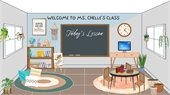
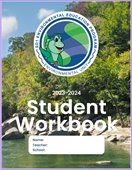
student workbook

Step 2: Share SD1's Digital Student Workbook with Students

Toby Parton, our partner in Environmental Ed at Beechwood Elementary, piloted SD1's Digital Student Workbook last year and was kind enough to put together a Tango Tutorial on "Steps to Share a Google Classroom Assignment Template and Publish It for Each Student in a New Design." Here is a link to his tutorial for sharing the digital workbook template in Canva to Google classroom. Additionally, here is the link to SD1's Digital Student Workbook for the Environmental Unit template. 

submit work

Step 3: Submit Student Work to SD1 to Satisfy Credit Agreement Requirements

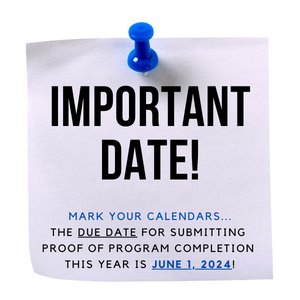
Lastly, per SD1's credit agreement, your school is required to submit one student's work per class to receive credit on your school's storm water bill for completing the unit. You can upload student work here including completed digital workbooks. Credit requirements are due June 1st. 

Digital Workbook Examples:

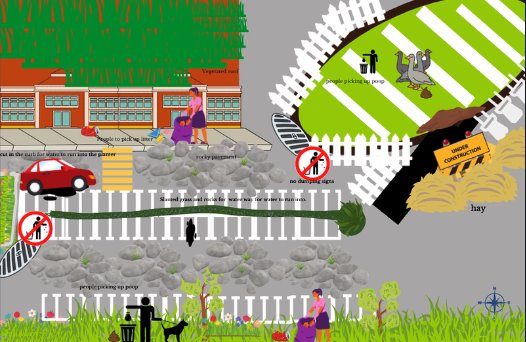
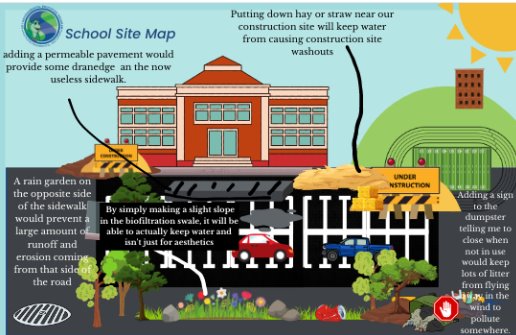
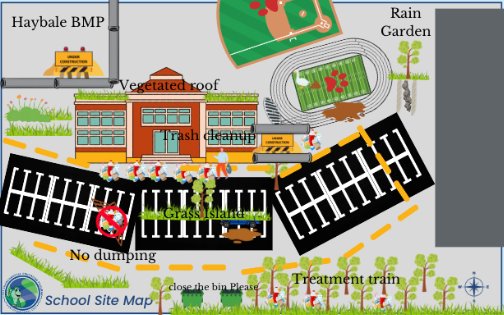
The work students submitted digitally last year was exciting to see! Having access to unique tech tools available via Canva allowed students to enhance their school map design experience while developing their visual presentation skills.

Maps submitted by 2022-2023 Beechwood Elementary 5th Graders Lucy Anderson, Nolan Ford, and Graham Hildebrant (top to bottom).

map 3
map 2
bmp map 1

Make a Big Splash with Your Class!

At the bottom of each e-newsletter this year we are spotlighting some favorite "Big Splash" resources from the Teacher Toolkit and beyond.


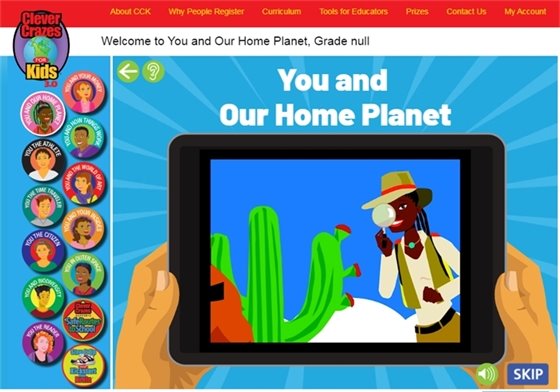
Clever Crazes is a fun game website that introduces elementary students to facts and concepts consistent with the standards endorsed by the National Science Educators Association and the American Association for the Advancement of Science STEM Benchmarks. The Clever Crazes for Kids website is a perfect supplement for the classroom. Recent research points to the multiple benefits of pairing learning with games. This is the "edu-tainment" children will experience when playing Clever Crazes for Kids.


(source: https://cech.uc.edu/schools/education/stem-education.html)

Clever Crazes
deadline

In an effort to continuously improve SD1's Environmental Unit, we want to collect your feedback on an ongoing basis. If you have something to share, whether it be a program suggestion, presenter review, or helpful resource for others, visit the Feedback Hub page linked here in the Teacher Toolkit to send those ideas our way! 


Send any questions or curiosities to Andrea Dee at adee@sd1.org.

Copyright 2021 Sanitation District No. 1. All Rights Reserved.
1045 Eaton Drive, Ft. Wright, KY 41017

Powered by
CivicSend - A product of CivicPlus